# Open Sourcing the Claude Settings MacOS app
Table of Contents
How Claude Code Changed My Workflow
For most of my professional life as a developer I’ve had ideas of apps I could build to solve particular problems or just improve parts of my life. But almost all of them were just relegated to notes or even just dismissed outright as I knew I didn’t have time to work on them.
Then I started using Claude Code and in a few sessions I saw how it could be used to build things much faster than I could, especially for prototypes and experiments where quick iteration mattered more than code quality.
Ideas that had been relegated to notes quickly turned into projects and I soon had a few new folders full of code. I also added Claude to a lot of old projects and even to my note taking folder itself. But this rapid expansion created a new problem.
Managing Claude Code Settings Across Projects
With every project I had a set of MCP servers, slash commands, different authorization settings. Then Anthropic implemented sub-agents, plugins, output styles, skills and before I knew it, I didn’t know what I had set up for each project. Copy/pasting of json from one folder to another was a common operation. This manual management was tedious and error-prone, exactly the kind of problem that deserved a better solution.
That’s when I decided to create the ClaudeSettings MacOS app to try to make this new problem easier to deal with.
Two weeks after starting the project, it’s ready to be released and open sourced. It’s mostly built by Claude Code, with some manual refinements here and there. I’m sure there are some edge case bugs out there but it works well enough to make my life a bit easier.
How it helps
One of my main uses of the app is for plugins. When installing a plugin in Claude Code, it defaults to installing it in the global configuration and there’s no flag to change this scope (unlike when adding an MCP server). ClaudeSettings makes it easy to move a plugin from the global configuration to a specific project and then copy it only to the projects where you’ll actually use it.
I also use it to move settings from settings.local.json to the settings.json file that gets checked into Git. Or to move settings I want on all my projects to the global config. All with just a simple drag and drop.
There are still many improvements to make to the app, like supporting MCP server configurations, slash commands, sub-agents and who knows what else Anthropic will add to Claude Code by next week. Just keeping up with their changelog is almost a full time job.
So if you also have a ton of projects and want to tame your settings, give it a try. The app is open source on GitHub. Contributions and feedback welcome as Claude Code continues to evolve.
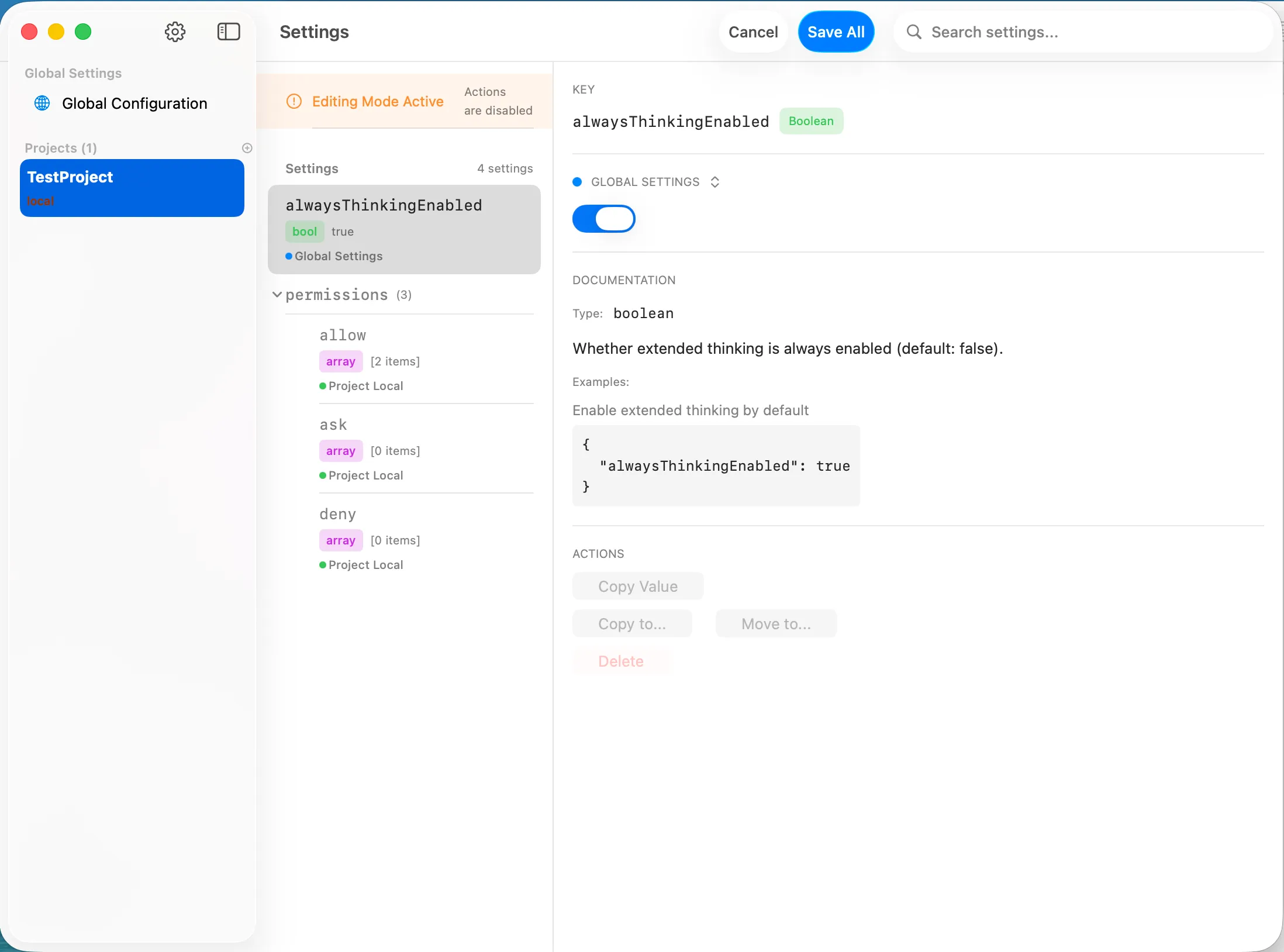
Here’s a little taste of it: